
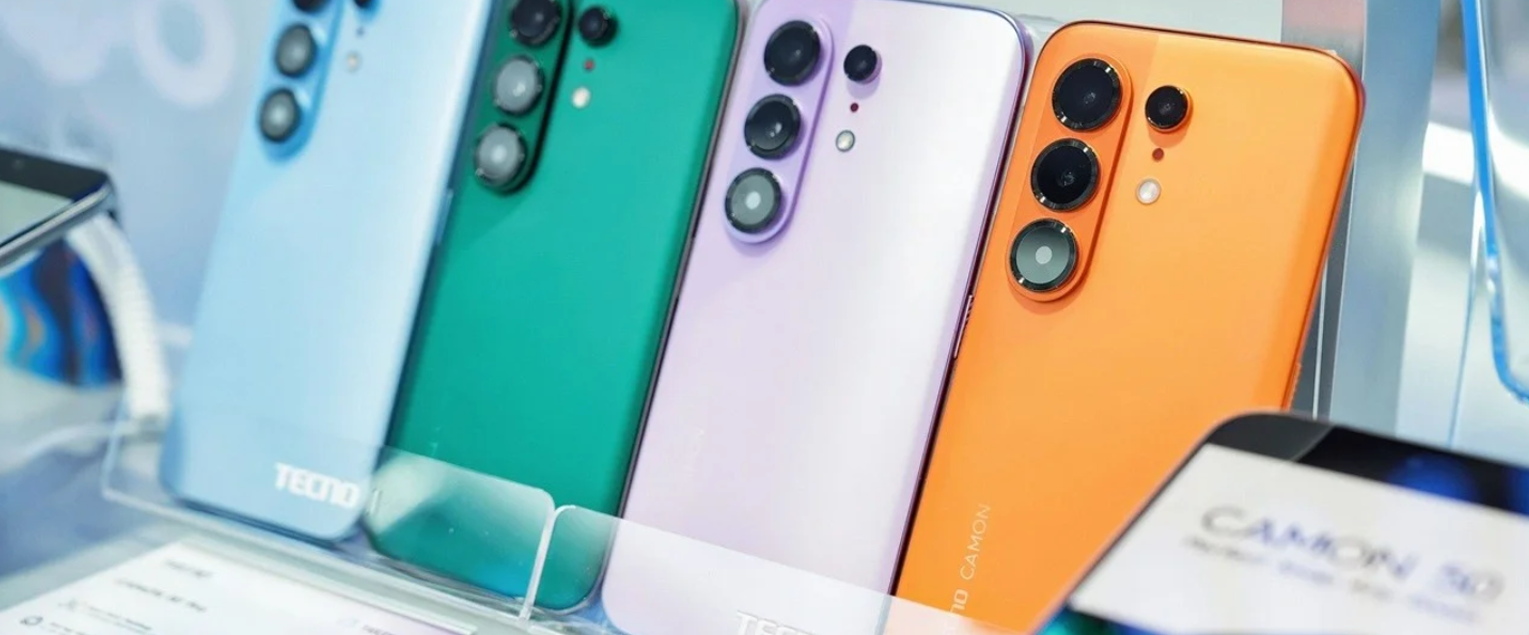
Summary: In this guide, we’ll walk you through everything you need to know about monitoring the Tecno Camon 50 series with Spynger. You’ll learn about the key features, step-by-step installation instructions, compatibility details, and real user reviews. Whether you’re a concerned parent, a cautious spouse, or an employer managing company devices, this article will help you decide if Spynger is the right monitoring solution for your needs.
Why Choose a Monitoring Solution for Tecno Camon 50 Series?
The Tecno Camon 50 series has taken the smartphone market by storm in 2026. With its stunning 144Hz AMOLED display, powerful Helio G200 Ultimate processor, and impressive 50MP triple-camera system, it’s no wonder these devices have become a top choice for families worldwide. But as a parent, you know that handing your child a powerful smartphone also means exposing them to potential online dangers.
Whether you’re planning to gift a Camon 50, Camon 50 Pro, or the flagship Camon 50 Ultra to your child, it’s wise to consider installing a reliable monitoring solution first. This ensures you can protect your loved ones from cyberbullying, inappropriate content, online predators, and digital addiction – all while giving them the freedom to explore, learn, and connect.
Spynger is the ultimate monitoring application designed to help parents keep their children safe in the digital world. With Spynger installed on a Camon 50 series device, you gain complete visibility into your child’s online and offline activities – without them ever knowing.
Why Young People Need Digital Supervision
In today’s hyper-connected world, smartphones are no longer a luxury – they’re a necessity. But with great connectivity comes great risk. Research shows that the main reasons young people fall into harmful behaviors include:
- Making the wrong friends – both online and offline
- Curiosity about forbidden content – pornography, violence, and drugs
- Lack of awareness about dangers – such as sexting, cyberbullying, and online predators
- Exposure to harmful commercial ads – promoting unhealthy products and lifestyles
Immediate action is essential to protect children from these risks. Parents must understand:
- Who their children are communicating with
- What websites they visit
- What they discuss in messaging apps
- Where they go after school
Spynger provides all these answers in one easy-to-use dashboard.
Best Spy App for Camon 50 Series – Spynger
Spynger is a premium monitoring solution designed for modern parents who want to protect their children without invading their privacy unnecessarily. It’s packed with over 40 powerful features that work seamlessly on the entire Camon 50 lineup – from the entry-level Camon 50 to the premium Camon 50 Ultra.
Here’s why Spynger is the best choice for monitoring Tecno Camon 50 series devices:
Key Features of Spynger for Camon 50
| Feature | What It Does |
|---|---|
| GPS Location Tracking | Track your child’s real-time location and view location history |
| Call Monitoring | View incoming and outgoing call logs with duration and contacts |
| SMS Reading | Read all text messages – including deleted ones |
| Social Media Monitoring | Track WhatsApp, Facebook, Instagram, Snapchat, Viber, and more |
| Web Browsing History | See which websites your child visits and block harmful ones |
| Keylogger | Log every keystroke typed on the device |
| Screen Time Management | Set time limits and schedule device lock times |
| App Monitoring | View all installed apps and block inappropriate ones |
| Photo & Video Access | View media captured on the target device |
| Remote Control | Lock the device, wipe data, or capture screenshots remotely |
| Stealth Mode | Runs completely hidden – the user never knows it’s there |
How the Tecno monitoring app works?
Setting up Spynger on a Tecno Camon 50, 50 Pro, or 50 Ultra is straightforward and takes just a few minutes. You’ll need physical access to the target device – remote installation is not supported.
Step 1: Install Once
Get one-time physical access to the connected device. Download and install Spynger — takes under a few minutes on Camon 50, Camon 50 Pro or Camon 50 Ultra. Enter your activation code and you’re done.
Step 2: Data Syncs Automatically
Once installed, Spynger silently collects all device data — calls, messages, GPS, app activity, screen recordings — and uploads everything to your secure cloud server in real time.
Step 3: Monitor From Anywhere
Log in to your secure online dashboard from any browser, anywhere in the world. Access all monitored data — calls, messages, GPS, browser history, recordings — organised and searchable.
What Can Spynger Help You Discover?
Protecting Against Cyberbullying
Cyberbullying has become one of the most serious threats facing young people today. With Spynger, you can monitor social media conversations and identify signs of bullying before they escalate. Early intervention can save your child from depression, anxiety, and even suicidal thoughts.
Preventing Sexting and Predator Contact
Teenagers are increasingly exposed to sexting pressures and online predators. Spynger lets you view instant messaging conversations across all major platforms – WhatsApp, Facebook Messenger, Instagram, Snapchat, Viber, Kik, and more. If you see something concerning, you can step in and have a conversation with your child about online safety.
Managing Screen Time
Addiction to smartphones and social media is a growing concern. Spynger’s screen time management features allow you to set healthy boundaries – limiting device usage during homework hours, at mealtimes, and after bedtime. This promotes better sleep, improved focus, and healthier family interactions.
Tracking Location for Safety
Knowing where your child is at all times gives you peace of mind. Spynger’s real-time GPS tracking and location history features ensure you can always find your child – whether they’re at school, a friend’s house, or exploring the city. You can also set up geofencing alerts to receive notifications when your child enters or leaves specific safe zones.
Identifying Dangerous Friendships
The wrong friends can lead a young person down a dangerous path. By monitoring calls, messages, and social media interactions, you can identify potentially harmful relationships and guide your child toward healthier social connections.
User Reviews
⭐⭐⭐⭐⭐ – “Better than I thought possible”
“The service works great on my son’s Tecno Camon 50. It’s a cool app – does everything it says without degrading phone performance. I can finally sleep peacefully knowing my son is safe online.”
— Tzechong Choi
⭐⭐⭐⭐⭐ – “Peace of mind for parents”
“I bought a Camon 50 Pro for my teenage daughter. I was worried about who she was talking to online. Spynger gave me complete visibility – and I found out she was being pressured by a stranger on Instagram. I was able to step in before anything bad happened. Thank you, Spynger!”
— Maria S.
⭐⭐⭐⭐ – “Easy to install and use”
“Setup on the Camon 50 Ultra was smooth. The Protected Apps setting took me a minute to figure out, but the support team helped me quickly. Now I can monitor my son’s location and messages without him knowing. Highly recommended.”
— David R.
Why Spynger Stands Out from Other Apps
| Feature Comparison | Spynger | Other Monitoring Apps |
|---|---|---|
| Stealth Mode | ✅ Complete concealment | ⚠️ Not always fully hidden |
| Social Media Monitoring | ✅ 10+ platforms supported | ⚠️ Limited to few apps |
| Protected Apps Compatibility | ✅ Works with Camon 50 series | ❌ Often fails in Protected Apps mode |
| Battery Impact | Minimal (<3%/day) | Often drains battery significantly |
| Ease of Installation | Guided setup with support | Complex manual setup |
| Keylogger | ✅ | ⚠️ Not always available |
| Screen Time Management | ✅ | ❌ Rarely included |
| Customer Support | 24/7 live chat | Limited support hours |
Final Thoughts
The Tecno Camon 50 series – including the Camon 50, Camon 50 Pro 5G, and Camon 50 Ultra – represents the best of 2026 smartphone technology. But with great power comes great responsibility. As a parent, you need to ensure your child is safe from the dangers of the digital world.
Spynger offers the perfect solution – a reliable, easy-to-use, and undetectable monitoring app that gives you complete visibility into your child’s digital life. With features ranging from GPS tracking to social media monitoring, Spynger empowers you to protect your child without invading their trust or privacy unnecessarily.
Disclaimer
Important: This software is intended for legal use only. Spynger is designed for parental control and monitoring of devices owned by the user. Customers must have explicit written consent from the device user for any monitoring activities. The software may only be used for ethical controlling purposes – including protecting minors from online dangers, ensuring employee productivity on company-owned devices, and locating lost or stolen devices. Unauthorized monitoring of others without consent may violate privacy laws in your jurisdiction. It is your responsibility to comply with all applicable laws and regulations.
Ready to protect your family? Choose Spynger today and gain peace of mind knowing your child is safe – both online and offline.



No responses yet